Cord-Cutting Guides
Everything you need to know to ditch cable and start streaming. Follow these guides to set up your entertainment system the right way.
Getting Started with Cord-Cutting
New to cord-cutting? This comprehensive guide walks you through everything from evaluating your current cable bill to choosing your first streaming services.
Step 1: Review Your Cable Bill
Pull out your last cable bill and identify what you're actually paying. Include the base rate, equipment rental fees, broadcast fees, regional sports fees, and any other charges. Most people are shocked to discover the true cost hidden in these line items. This total is what you're trying to reduce or eliminate.
Step 2: List What You Watch
For one week, write down everything you watch and on which channels. Be honest with yourself. Many cable subscribers pay for hundreds of channels but regularly watch fewer than ten. This list will guide your streaming service selection and help you avoid subscribing to services you don't need.
Step 3: Check Your Internet Speed
Run a speed test at fast.com. For HD streaming, you need at least 5 Mbps per stream. For 4K content, aim for 25 Mbps per stream. If multiple people in your household stream simultaneously, multiply accordingly. If your current plan is too slow, contact your ISP about upgrading, or look for alternatives in your area.
Step 4: Choose a Streaming Device
If your TV is a smart TV from the last five years, you likely already have streaming apps built in. If not, popular options include Roku (best overall value), Amazon Fire TV Stick (great for Prime members), Apple TV 4K (premium option for Apple ecosystem), and Chromecast with Google TV. Prices range from $30 to $180.
Step 5: Start with Free Trials
Most streaming services offer free trials lasting 7 to 30 days. Take advantage of these to explore each platform before committing. Test the interface, check if your must-watch shows are available, and see how the service performs on your network. Keep a calendar to remember when trials end.
Installing a Digital Antenna
Get free local channels including ABC, NBC, CBS, FOX, and PBS with a simple antenna. Here's how to set it up for the best reception.
Check Available Channels
Before buying an antenna, visit antennaweb.org or rabbitears.info. Enter your address to see which channels are available and how strong the signals are in your area. This determines whether you need a basic indoor antenna or a more powerful outdoor model.
Choose the Right Antenna
For areas with strong signals (most urban and suburban locations), a flat indoor antenna for $20-40 works well. For weaker signals, consider an amplified antenna ($40-60) or an outdoor/attic antenna ($50-150). Avoid antennas marketed with exaggerated range claims.
Find the Best Placement
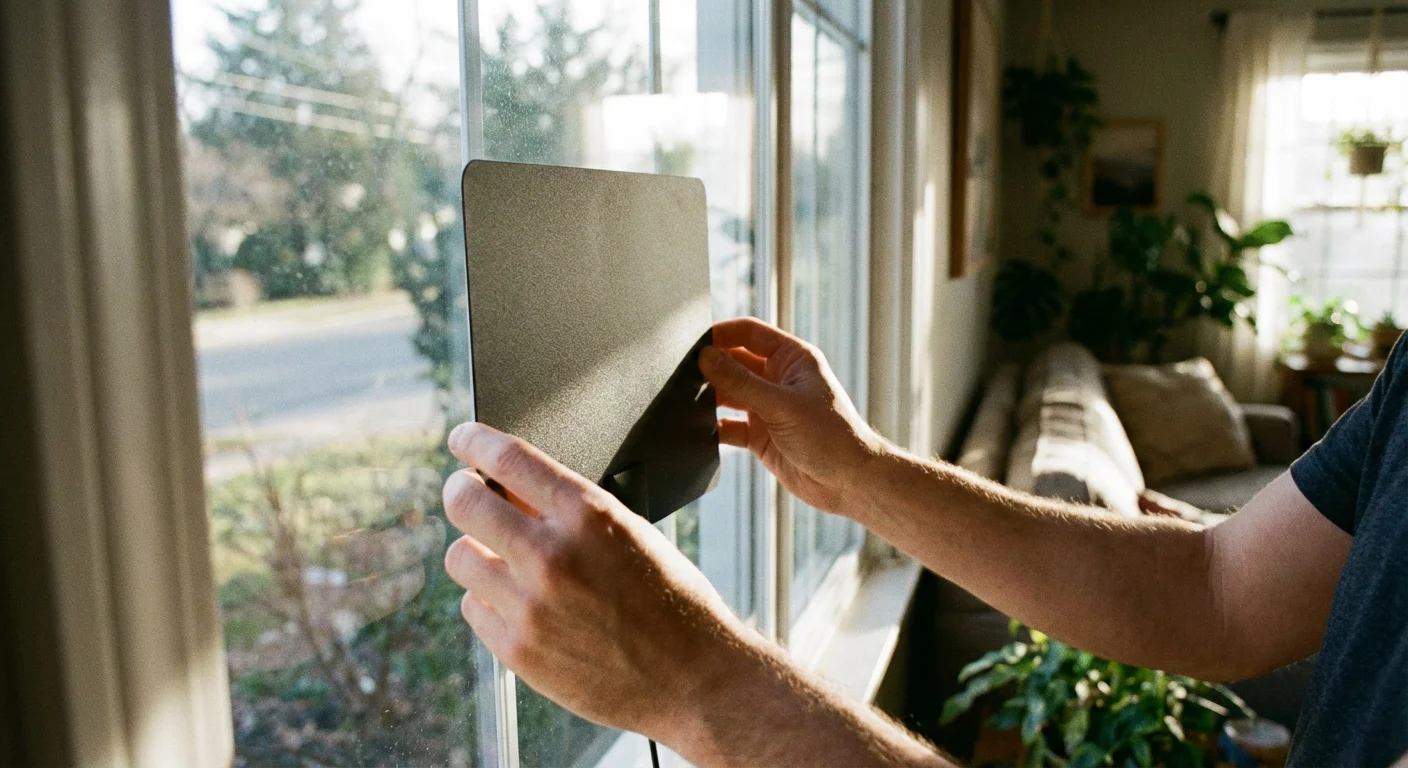
Position your antenna near a window facing the broadcast towers. Higher placement generally works better. Walls, especially those with metal studs or foil insulation, can block signals. Experiment with different locations and run a channel scan after each move.
Run a Channel Scan
Connect the antenna to your TV's coaxial input. Go to your TV's settings menu and look for "Channel Scan" or "Auto-Tune." The scan takes a few minutes and will find all available channels. Rerun the scan periodically as broadcasters sometimes change frequencies.
Setting Up Your Streaming Device
A step-by-step walkthrough for connecting and configuring your streaming device, regardless of which brand you choose.
Hardware Connection
- 1.Plug the streaming device into an available HDMI port on your TV
- 2.Connect the power adapter to the device and a wall outlet
- 3.Turn on your TV and select the correct HDMI input
- 4.Insert batteries into the remote control
- 5.The setup wizard should appear automatically
Network Configuration
- 1.Select your WiFi network from the list
- 2.Enter your WiFi password using the on-screen keyboard
- 3.Wait for the connection to complete
- 4.Allow any software updates to install
- 5.Sign in or create an account for your device
Pro Tip: Use Ethernet if Possible
If your streaming device has an Ethernet port and you can run a cable to your router, wired connections provide more stable streaming with fewer buffering issues. This is especially helpful for 4K content or if your WiFi signal is weak near your TV.
DVR Without Cable
Miss recording shows? Several options let you record over-the-air broadcasts and streaming content.
Cloud DVR
Services like YouTube TV, Hulu + Live TV, and Fubo include cloud DVR with unlimited storage. Record anything from their live channel lineup and watch later on any device.
Included with live TV services
Network DVR
Devices like Tablo and HDHomeRun connect to your antenna and stream live TV to any device in your home. They also record to an external hard drive, giving you DVR for free OTA channels.
$100-200 one-time cost
TV Everywhere Apps
Many network apps like ABC, NBC, and FOX offer recent episodes on-demand for free. Not quite DVR, but often eliminates the need to record broadcast network shows.
Free with antenna